Home / Modules / Projects
Tasks & projects
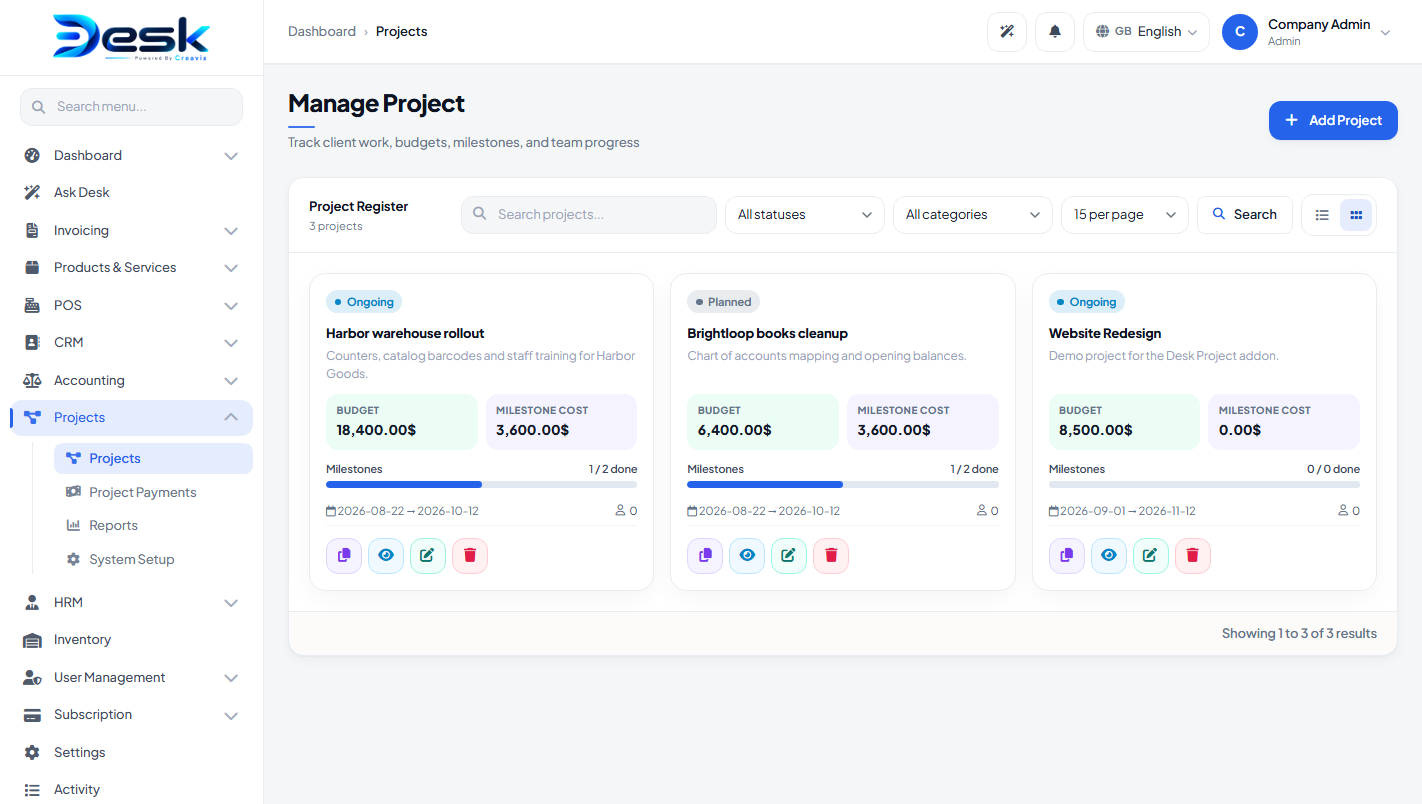
Projects
Client work, members, files, milestones, tasks, bugs, project payments, and reports.
Turn the module on
Add-ons Manager: Active. Plan includes Projects. Give the user a role that can view projects, and project payments if they should record money against a project.
Sidebar: Dashboard → Project Dashboard (projects, bugs, team, payments). Under Projects: project list, Project Payments, Projects Report, System Setup.
System setup
Tabs: categories, statuses, payment methods, task stages, bug stages. Create stages before you add tasks or bugs.
Projects
Fields: name, customer, category, status, assigned user, start/end dates, budget, progress, description, notes, active. A project number is generated. You can duplicate a project.
On the project: add members (company users) and upload files.
Milestones, tasks, bugs
| Entity | Fields |
|---|---|
| Milestone | Title, cost, start/end, status (incomplete / ongoing / complete), progress, notes |
| Task | Title, stage, milestone, assigned user, priority (low / medium / high), due date, description |
| Bug | Title, stage, assigned user, priority, due date, description |
Project payments
Menu: Project Payments
Fields: project, payment method, payment date, due date, amount, discount, status (draft / posted), reference, notes.
When Billing is active and the project has a client: Create invoice on the project bills remaining budget. On a posted project payment, Create invoice creates a billing invoice already marked paid (the money was already collected on the project).
Reports
Portfolio report: budget vs collected, counts of tasks / bugs / milestones, CSV export. Open a project for its own report.
© Creavix Desk