Home / Add-ons
Turn modules on for companies
Add-ons Manager
Super Admin decides which business modules are available, then includes them on each plan. A company only sees a module in the sidebar when it is active and allowed on that company’s plan.
Open Add-ons Manager
Super Admin → Add-ons Manager
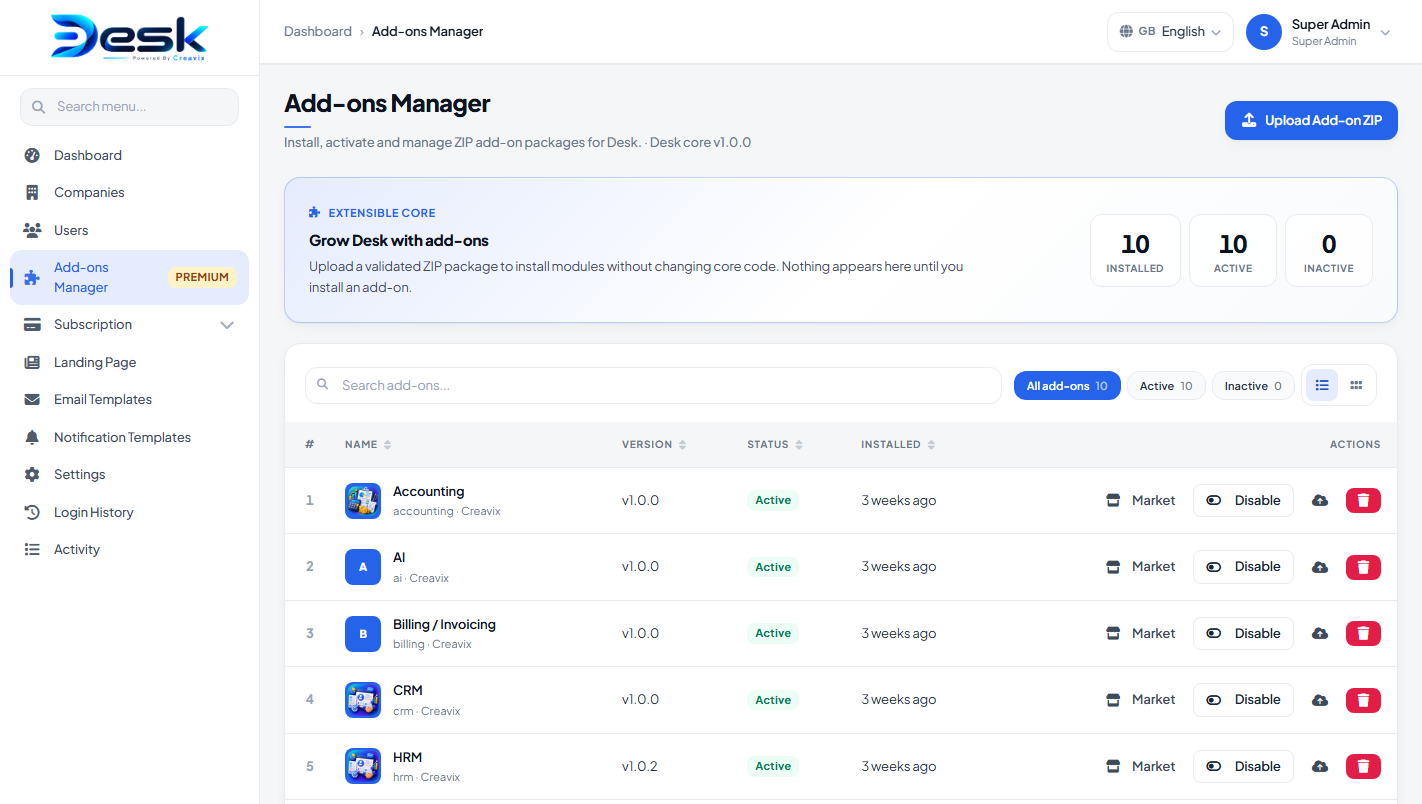
After a normal install these modules are already on and ready:
| Module | Version | What the company uses it for |
|---|---|---|
| Products & inventory | 1.0.0 | Items, categories, taxes, units, stock |
| Billing / invoicing | 1.0.0 | Clients, quotes, invoices, payments, print / email |
| PayPal | 1.0.0 | Customers pay invoices into the company’s PayPal |
| Stripe | 1.0.0 | Customers pay invoices into the company’s Stripe |
| CRM | 1.0.0 | Leads, deals, pipeline, create invoice / quote from a deal |
| HRM | 1.0.2 | Employees, attendance, leave, payroll, recruitment, HR reports |
| Accounting | 1.0.0 | Books, banking, parties, reports; journals from billing invoices |
| Projects | 1.0.0 | Projects, tasks, bugs, project payments, create invoice |
| POS | 1.0.0 | Till, counters, barcode, orders, returns, discounts, reports |
| AI | 1.0.0 | Optional drafts and Ask Desk (Super Admin enables it) |
Desk core is v1.0.0. The Add-ons Manager screen shows that core version and each module as v1.0.0. From this screen you can activate or deactivate a module, set an optional price if you sell it separately, or uninstall it. If you later receive an extra module ZIP, upload it here (about 50 MB maximum). The ZIP version must be higher than the installed version.
Give a company access
- Keep the module Active in Add-ons Manager.
- Open Super Admin → Plans and include that module (or choose all modules).
- In the company, give the user a role that includes that module (for example invoices, CRM, HRM, or accounting).
Plans can also limit how many users, customers, products, and invoices a company may create.
If you marked a module as purchasable and set a price, a company can buy it from their own Billing page even when it is not on the plan.
© Creavix Desk